Have you ever wanted to write up a quick blog post on the go? Now there is an easy way to do this on your Android phone! We are excited to announce our first version of the Blogger Android App. Using the app you can easily compose a post, attach a photo that you just took with your phone, and either save it as a local draft for later or immediately publish it to your blog. If you are an Android user, you can start using the Blogger app today by downloading it for free from theAndroid Market.
Feature highlights
- Multiple accounts and blogs: You can easily switch between different accounts and blogs that you have author rights to. Simply choose your account and blog and you are all set to go.
A couple of months back Google introduced Web Fonts to Blogger in Draft. Today we’re excited to not only launch Web Fonts to ALL Blogger users, but also announce we’ve added an additional 35 fonts to the mix, for a grand total of 77 fonts!
Henry Ford once said “Any customer can have a car painted any colour that he wants so long as it’s black.” When it comes to the Internet and fonts, sometimes this hits pretty close to home: “You can use any font you want so long as it’s Arial.” With the introduction of Web Fonts, this is now a far cry from the truth!
Web Fonts, brought to you by our good friends at Google Fonts, let you spice up and further personalize your blog. Just have a look at what we’ve done with the post titles of this blog! And for those of you interested in fonts for non-latin alphabets such as Cyrillic, Greek and Khmer, we have those too!
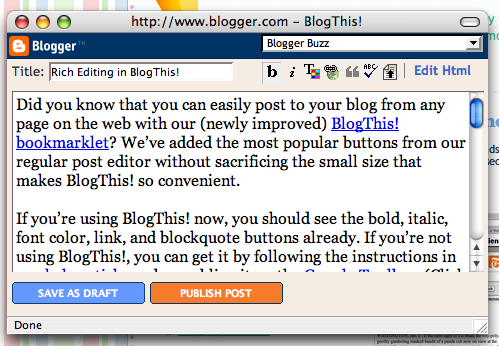
Did you know that you can easily post to your blog from any page on the web with our (newly improved) BlogThis! bookmarklet? We’ve just added the most popular buttons from our regular post editor without sacrificing the small size that makes BlogThis! so convenient.

If you’re using BlogThis! now, you should see the bold, italic, font color, link, and blockquote buttons already. If you’re not using BlogThis!, you can get it by following the instructions in ourhelp article, or by enabling it on the Google Toolbar. (Click “Options,” go to the “More” tab, then click on the “BlogThis!” checkbox.)
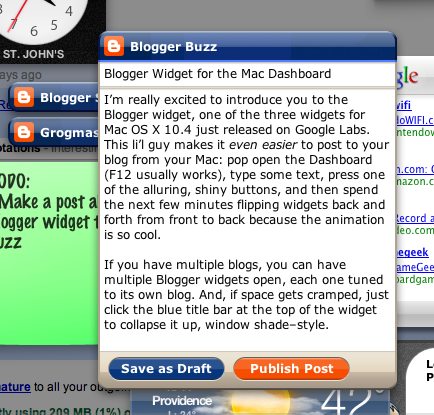
 I’m really excited to introduce you to the Blogger widget, one of the three widgets for Mac OS X 10.4 now available on Google Labs. This li’l guy makes iteven easier to post to your blog from your Mac: pop open the Dashboard (F12 usually works), type some text, press one of the alluring, shiny buttons, and then spend the next few minutes flipping widgets back and forth from front to back because the animation is so cool.
If you have multiple blogs, you can have multiple Blogger widgets open, each one tuned to its own blog. And, if space gets cramped, just click the blue title bar at the top of the widget to collapse it up, window shade–style.

One of our most effective tools for preventing spam and automated abuse of Blogger is our word verification image. We require it to be solved to create a blog or post to blogs our automated spam classifier catches, and offer it as an option for you to include on the comment form on your blog.
Word verification (sometimes called a CAPTCHA™) is designed to be a simple puzzle that a human can solve easily but a computer cannot. Sadly, that has not been the case for Blogger. A ton of humans cannot solve our word verification simply because they cannot see it.
 Today we’re very happy to add an audio verification alongside every word verification in Blogger. Now almost everyone will be able to create blogs, post comments, and prove to our spam classifier that they’re not a robot.
It's fitting that our newest birthday present was announced first on Twitter. Starting yesterday, theBlogger Navbar includes a new button: "Share."

When your readers are on your blog's home page, they can click "Share" to post the blog's URL to Twitter, Facebook, or Google Reader. If they navigate directly to an individual blog post, clicking "Share" in the navbar also lets them share the post by email.

More and more of you are using Google Chrome (more than 30 million active users now!), and we want to let you know that a Blogger extension is included in the Chrome Extensions gallery. TheBlogThis! Chrome extension is available now, one of several hundred extensions to be found in theChrome extensions gallery.
Using the BlogThis! Chrome extension, you can start writing a blog post in one click. Whenever you are inspired by a web page you are looking at and want to blog about it, just click on the BlogThis! button on your Chrome toolbar, and the Blogger post editor opens up with a pre-populated link to the web page you were on. If you want to include any text in your post, simply highlight it before clicking on the BlogThis! button. Edit the post as you'd like, and publish it instantly or save it as a draft for future posting.

 The new version of Blogger now supports using acustom domain for serving your blog. If you already own a domain named, say,
 mysite.com and want your blog to be served at that address instead of at ablogspot.com address, we can host your blog on that domain for you — for free. Your old Blog*Spot address will forward to your new custom domain, so the switch will be seamless for your readers.
Ever wanted to see all the photos you've uploaded to your blog in one place? Head over to Picasa Web Albums and now you can! We've been working closely with the Picasa team on this project - all the photos you've uploaded since December will appear in an album there, and we're working on migrating your older photos as well. (It'll take a while though - there are a lot of them.) Each of your blogs now has its own album in Picasa Web Albums, which is exciting because you now have a photo management interface for your blog's photos - for example you could order prints, use the fancy email this photofeature, or easily embed the album somewhere else on the web. Be careful when you delete photos though, because deletions will affect both your blog and its album. Lastly, Blogger photos are now part of Picasa Web Albums' 1GB of free quota, which can beupgraded.Check out Picasa and Picasa Web Albums!
Thanks to our friends from the Ajax Search API team, we now have two more fun and useful widgets you can add to your new Blogger blog: Newsreel and Video Bar:
The Newsreel searches Google News for your chosen keywords and displays an ever-updating list of their search results. The Video Bar does the same for Google Video and YouTube searches, and even lets you play the videos without leaving your blog! Check out Pete's mobile blog for particularly erudite examples of the Newsreel and Video Bar in action.
Our friend Ryanne has been asking us for an easy way to add an image to her blog’s header for a few months now. When we added the feature a few weeks back, she was excited enough to create a screencast to teach everyone how to do it:

Subscribing to comments via email makes it a lot easier to stay in the conversational loop after you’ve commented on a post somewhere. For example, you could follow along with these discussions from some recent Blogs of Note:
You'll notice the new checkbox at the bottom of the Comment page, in the identity box:

 As you videobloggers already know, you can upload your videos directly to Blogger. But for the rest of the video watchers out there, did you know you can just as easily post YouTube videos to your blog?
All you need to do is set up your YouTube account to post videos to your blog using the "Share" button. You'll enter your Blogger information once, and from then on it's one-click sharing from any YouTube video page!