These are called "team blogs," and are quite useful in situations where small groups of people wish to contribute to a single blog. Basically, one person initially creates the blog, then "invites" others to join it.
Team members can either be Administrators or not. Administrators can edit all posts (not just their own), add and remove team members (and grant admin access), and modify blog properties. Non-admins can only post to the blog.
Here's how to invite people to join a blog:
First, go to Settings | Permissions:
 and click Add Authors:
 Next, type the email addresses of the people you're inviting to the blog; they'll receive a confirmation email soon. Note that they must have blogger accounts, and if they don't already, they'll be prompted to create one.
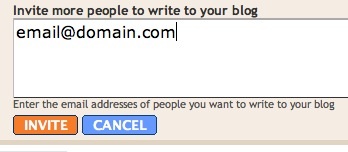 When you're ready to send the invitations, click Invite. You'll receive an email when the new team member has successfully joined the blog.

No comments:
Post a Comment